Step by Step Easy Instructions on How to Erase browser history and Cookies
We at Your STD Help know how important your online privacy is to you especially when dealing with sensitive information such as your health. Information on the sites you have visited in the past are stored on your computer, tablet and phone and you may not want others that you share these devices with seeing your private information so we've put together this comprehensive tutorial on how to erase your past history on all of these devices.
In most browsers such as IE, Safari, Chrome and FireFox to even your mobile phones, they save your site and search history to make it easier for you to quickly find past websites that you have visited. They store your information in a couple of different ways and we'll show you how to quickly erase all of them so you can browse privately with confidence.
Clear Browser History in IE (Internet Explorer)
There are two different ways to delete your history in Internet Explorer. I prefer the first way as it's the quickest and easiest.
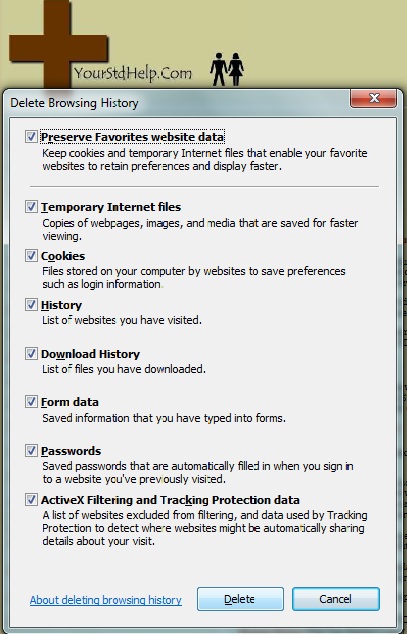
The first way is a keyboard shortcut that IE has come up with where all you have to do is press Ctrl Shift and Del at the same time and a popup will come up as shown in the picture. Tick all of the boxes and press the delete button and all of your past data will be deleted.
The second way is basically the same but instead of using a keyboard short cut you do it manually.
Click the small gear in the upper right corner and a menu will come up.
Hover over the safety tab with the small arrow and then click on delete browsing history.
At this time the same box as in the picture will come up and you can tick all of the boxes and press delete.
Clear Browser History in Mozilla Firefox
Firefox, like Internet Explorer, has the same keyboard shortcut. Simply press Ctrl Shift and Del at the same time and a popup box will come up.
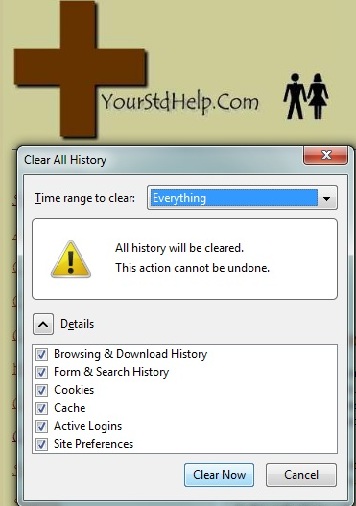
Tick all of the boxes and click on clear now and all of your browsing history and cookies will be deleted.
If you prefer to use the manual method to access the history menu press the orange menu in the upper left corner that says "Firefox", hover over where it says history and click clear history.
A box will come up and all you need to do is tick the boxes and hit clear now.
Clear Browser History in Safari
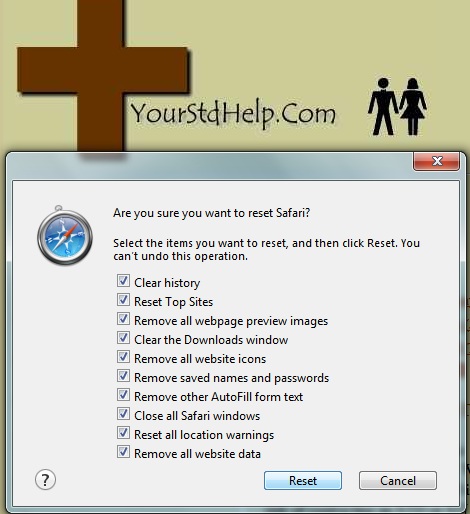
In order to clear your browsing history, cookies and other sensitive data in Safari all you need to do is click on the the gear in the upper right hand corner of the browser scroll down and click on reset Safari and a popup box will appear.
Check off all that you want to delete and click reset. It's that easy.
Clear Browser History in Chrome
In Google Chrome you can use the same keyboard short cuts as in some of the other browsers.
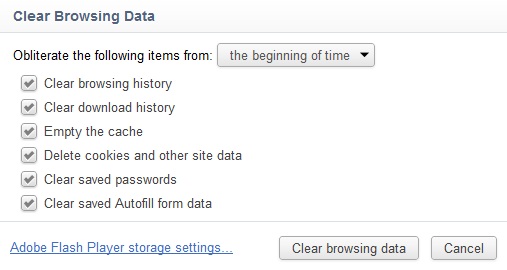
Press Ctrl Shift and DEL at the same time and you will get Chromes clear history box which generally will open in a new tab.
Click the boxes that you want to delete and click on clear browsing data and poof! It's gone.
The great thing about Chrome that is different than the other browsers is you have the choice to not just delete all of the history and everything else you have the option to delete it from beginning of time, past hour, past day, past week and past month. So if you just want to delete today's history and keep everything else so you can still have access to it it's easily done by just selecting it before you click on clear.
Clear Browser History on the iPhone and iPad
Clearing you cookies, history and cache on the iPhone is extremely easy to do as well and is something that I always suggest because if you lose your phone than anyone who finds it will be able to access everything that you have ever looked at as well as access password protected accounts such as email and Facebook.
First open you iPhone by sliding the bar to the right and click on the settings app that comes with the phone and is usually on the first page of apps.
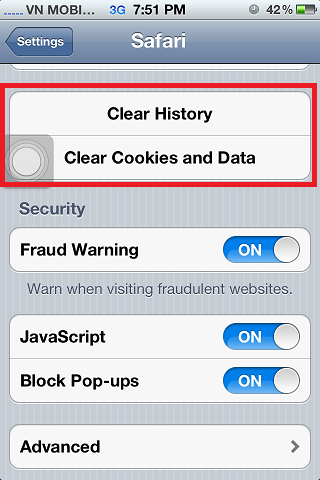
Scroll down and click on where it says Safari. About midway down from there you will see two options (Clear History and Clear Cookies). Click on each of them separately accepting the popup each time.
Now when someone goes onto your browser on your iPhone they will not be able to tell any of the sites you have visited and the sites that require passwords like we do here will be no longer logged in and you will have to imput your user name and password again keeping your data safe.
Note: This only deletes any data that you have accessed using Safari browser on the iPhone. Other apps will not be affected.
Clear Older Browsers History
Clear And Delete Browser History In Aol And Internet Explorer 4.0, 4.01, 5, 5.5, 6.0
- Click Tools On The Tool Bar
- Click On Internet Options
- Click The General Tab
- Click Clear History Or Delete
- Then Click Ok

Clear And Delete Browser History In Mozilla Firefox
- Click Tools On The Tool Bar
- Click On Clear Private Data
- Click Clear Private Data Now
Clear And Delete Browser History In Netscape
- Click Tools On The Tool Bar
- Click On Options
- Click The PrivacyTab
- Click The Clear Page History Button
- Then Click Ok